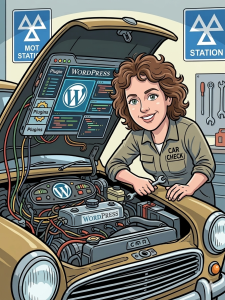
 Just like a classic car that’s been sitting in the garage a little too long, a website can start to lose its edge. It might sputter on loading times, have a few warning lights flashing in the dashboard (or the backend), and generally feel a bit sluggish under the hood.
Recently, an incredibly old, outdated site came into the digital workshop. It was running slowly, lagging on security, and desperately needed a major overhaul.
Here is exactly how a comprehensive Website MOT takes a site from a breakdown hazard to a high-performance machine.
Phase 1: Checking the Safety Net (The Blueprint & Backup)
Before a mechanic lifts a car on the ramp, they make sure everything is secure. In the digital world, that means a bulletproof backup strategy.
Before touching a single line of code, a complete snapshot of the entire site was taken and securely stored away including the core public files, database files, all active plugins, and current themes. If anything goes sideways during surgery, the site can be restored in seconds.
Phase 2: Upgrading the Engine (PHP 7.4 to 8.4)
The underlying programming language of a WordPress site is PHP. Running an old site on PHP 7.4 is the equivalent of driving a modern sports car with a lawnmower engine from a decade ago. It’s inefficient, slow, and no longer receives critical security updates.
During this MOT, the engine was completely swapped out and upgraded to PHP 8.4. This instantly unlocks massive speed boosts, better memory handling, and modern security protocols.
Phase 3: Clearing the Dashboard (The Plugin Overhaul)
Over time, websites collect a lot of “clutter” in the glovebox. Plugins fall out of date, become abandoned, or clash with one another.
-
The Clean Up: Dozens of outdated plugins ranging from critical core systems like WooCommerce and All in One SEO to security tools like Wordfence were running versions that were months or even years behind. Every single one was carefully updated to its latest, safest version.
-
Streamlining the Parts: Clunky or redundant plugins were swapped for streamlined, modern alternatives. For example, old, fragmenting tax and shipping tools were cleanly consolidated into the official, modern WooCommerce Tax framework.
-
Scapping the Junk: Redundant caching tools (like Cache Enabler) that were just taking up digital weight were completely uninstalled.
Phase 4: Lightening the Chassis (Theme Streamlining)
Why carry four spare tyres in the boot if you only need one? Old WordPress installations often accumulate years of default themes.
The site was migrated to the sleek, modern Twenty Twenty-Five theme. To lighten the load and eliminate massive security backdoors, all the old, unused legacy themes (Twenty Twenty-One through Twenty Twenty-Four) were completely deleted from the server.
Phase 5: Locking Down Security
An old site is a prime target for digital car thieves. To lock things down:
-
A deep, comprehensive security scan was performed to ensure zero malware remained.
-
XML-RPC was disabled: This shuts down one of the most common backdoors hackers use to launch brute-force password-guessing attacks.
-
Security configurations were hardened across the board using Really Simple Security and Wordfence.
Phase 6: Turning On the Turbochargers (PageSpeed Optimisation)
Finally, it was time to tune the performance. To make the site lightning-fast, several advanced technical optimisations were applied under the hood:
-
The Fuel Injectors: Upgraded the system memory limit from 768MB to 1024MB so the server never chokes under heavy traffic.
-
The Bodywork: Compressed and resized massive, oversized images that were dragging the site down.
-
The Aerodynamics: Minified HTML, CSS, and JavaScript files, while deferring non-critical scripts so the page displays to the user instantly.
-
The Exhaust: Enabled GZIP compression and configured high-level server-side compression via the server control panel.
The Results: From the Scrapheap to the Superhighway
An MOT isn’t just about ticking boxes; it’s about real-world performance. By cleaning up the code, upgrading the engine, and throwing away the digital dead weight, the transformations speak for themselves.
When this site rolled into the workshop, its desktop speed scores were lagging, sluggish, and frustrating for users. After the digital MOT, the performance dials went straight into the green, loading cleanly, securely, and instantly.
Is your website running a bit sluggishly? Don’t wait for a total breakdown. Give your site the digital MOT it deserves and make it run like new again.